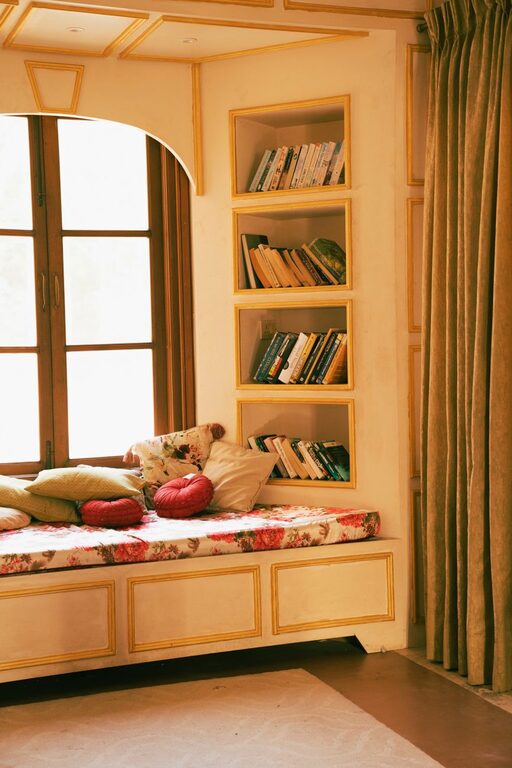
Creating a relaxing home workspace is essential for maintaining focus, comfort, and productivity when working from home. A well-designed space can help reduce stress, minimize distractions, and make your daily tasks more enjoyable. Whether you have a dedicated office or a small corner in your living room, these tips will help you set up an inviting and efficient workspace.
Choose the Right Location
Finding the ideal spot for your workspace is the first step. Look for a quiet, low-traffic area where you can work uninterrupted. Natural light is a big plus, as it can improve mood and energy levels. Avoid placing your desk directly in front of a window with glare, but try to have ample daylight nearby.
Consider Privacy and Noise Control
If your home tends to be noisy, consider noise-cancelling headphones or white noise machines to create a peaceful environment. Using room dividers or curtains can help define your workspace and block visual distractions.
Invest in Comfortable and Ergonomic Furniture
Comfort plays a major role in sustaining productivity. Ergonomic furniture helps prevent discomfort and health issues caused by long hours of sitting.
Desk and Chair
Choose a desk that fits your work essentials without feeling cramped. Adjustable desks allow you to switch between sitting and standing, promoting better posture. Select a chair that supports your lower back, encourages good posture, and is adjustable to your height.
Accessories for Comfort
Add a footrest or cushions for added support. Keyboard trays and monitor stands can help align your screen and peripherals at eye level, reducing strain on your neck and wrists.
Keep Your Workspace Organized and Clutter-Free
A messy workspace can hurt focus and increase stress levels. Keeping your space tidy promotes efficiency and a clear mind.
Storage Solutions
Use shelves, filing cabinets, or multi-functional furniture to store and organize your items. Desk organizers and trays can keep frequently used tools within reach yet out of the way.
Digital Organization
Maintain a clean desktop by organizing files and using cloud storage. Minimizing digital clutter can also help reduce distractions.
Personalize Your Workspace Mindfully
Adding personal touches can make your workspace inviting and motivating, but avoid over-cluttering.
Plants and Greenery
Indoor plants enhance air quality and have calming effects. Choose low-maintenance plants like succulents or snake plants.
Art and Decor
Hang inspiring artwork or motivational quotes that resonate with you. Use colors that promote calm and focus, such as soft blues or greens.
Lighting
In addition to natural light, use adjustable desk lamps with warm tones to reduce eye strain during evening hours.
Manage Technology and Cables
Set up your technology thoughtfully to avoid frustration and distractions.
Cable Management
Use cable clips, sleeves, or under-desk trays to keep cords neat and prevent tangling.
Equipment Setup
Place monitors at eye level, and maintain appropriate distances from screens to reduce eye fatigue. Keep your keyboard and mouse ergonomically positioned.
Incorporate Break and Movement Areas
Taking regular breaks and moving around refreshes your mind and prevents physical strain.
Stretching and Movement
Leave space near your workstation for simple stretches or short exercises.
Break Zone
If possible, create a nearby spot separate from your desk for coffee breaks or relaxation to mentally separate work time from downtime.
Set a Routine and Maintain Boundaries
Your workspace plays a role in reinforcing work habits and boundaries when working from home.
Establish Work Hours
Set regular work hours and try to stick to them. This helps your mind associate your workspace with productive time.
Communicate Boundaries
If you share your living space, use signals like closed doors or “do not disturb” signs to respect your work time.
—
By creating a relaxing and organized home workspace, you set yourself up for greater comfort and productivity. Small changes such as adjusting lighting, adding plants, or investing in ergonomic furniture can make a significant difference. Remember that the best workspace is one tailored to your needs—a balance of function and comfort that helps you perform at your best every day.

Related Posts